Running a marketing agency, an online store, or a content brand often means doing the same tasks again and again. You pull campaign reports by hand, check link clicks one by one, update spreadsheets, and schedule posts across five different apps. That manual grind eats hours every week and leaves plenty of room for costly mistakes.
Python scripting solves this problem by letting you write short, plain-language commands that tell a computer to run these tasks on its own, without you clicking through the same dashboard five times a day. This guide covers what python scripting actually looks like for digital marketing agencies, e-commerce owners, content creators, freelance marketers, and event managers. You will see which libraries matter most, how long learning takes with zero coding background, and when hiring an engineer beats building it yourself. One name worth knowing here is Ahmed Hasnain, a full-stack developer who builds automation and campaign features for marketing SaaS products like marketing SaaS products like Replug.
Let's start with what python scripting actually means and why it fits your daily work so well.
Key Takeaways
- Python scripting means writing short, readable command sequences that automate repetitive tasks, and its plain syntax makes it one of the friendliest languages for beginners.
- Real use cases span campaign reporting, inventory tracking, social scheduling, lead management, and QR code engagement for offline events.
- A small set of libraries, including Requests, BeautifulSoup, Pandas, and Schedule, covers most everyday marketing and business automation needs.
- Learning the basics takes weeks, not years, if you start with small scripts and build up gradually.
- Once scripts need to handle more data, more clients, or sensitive information, bringing in an experienced developer protects reliability and security.
What Is Python Scripting, and Why Does It Matter for Your Business?

Python scripting means writing short sequences of commands in the Python language that run a task automatically, instead of you repeating the same manual steps every time. Each script reads top to bottom and carries out instructions step by step, which is why even non-developers can follow what a script does just by reading it. This matters for your business because every manual task that gets automated is time you get back for strategy, client work, or creative output, rather than copying numbers between spreadsheets.
The reason marketers and entrepreneurs pick up python scripting faster than other programming languages comes down to readability. Python code reads close to plain English, so a line that tells a script to fetch data from a website or save it to a file looks almost like an instruction you would give a colleague. That low barrier to entry is exactly why python scripting has become the default automation choice outside of traditional software teams.
How Can You Use Python Scripting in Your Industry?
Python scripting adapts to whatever repetitive task is slowing your specific business down, whether that means pulling ad reports, tracking inventory, or scanning QR codes at a live event. The value shows up differently depending on your role, so the clearest way to see the fit is to look at what a script actually does for each kind of professional reading this guide.
For Digital Marketing Agencies: Campaign Tracking and White-Label Reporting

Agencies juggling several client accounts can write a script that pulls marketing management analytics from Google Ads, Meta, and other ad platforms into one spreadsheet or dashboard, instead of logging into each account separately every Monday. The same script can then format that data into a branded, white-label report and email it to each client on a set schedule, cutting hours of manual report-building down to a single automated run.
For E-Commerce Owners: Inventory and Conversion Tracking

Store owners can build a script that checks branded product URLs and conversion data across sales channels, flagging drops in traffic or sales before they turn into a bigger problem. A second script can monitor competitor pricing or your own stock levels and send an alert the moment inventory runs low or a price needs adjusting, which keeps your store competitive without constant manual checking.
For Content Creators and Social Media Marketers: Scheduling and CTA Tools

Creators managing several platforms can use a script tied to each platform's API to queue up posts in advance and pull engagement metrics like comments, shares, and click-throughs into one place. That same approach supports simple call-to-action tracking, where a script logs every click on a bio link or campaign URL so you know exactly which post actually drove action.
For Freelance Marketers and Sales Specialists: Lead and Email Automation
Solo marketers often cannot justify an expensive CRM, so a script that logs new leads into a spreadsheet or lightweight database solves the same problem for a fraction of the cost. Add a scheduled script that sends follow-up emails at set intervals after a lead comes in, and you get consistent outreach without manually tracking who needs a message today.
For Event Managers: QR Codes and Offline-to-Online Engagement
Event teams can generate unique QR codes for registration, badges, or signage using a short script, then track every scan to see which touchpoint drove the most engagement. Matching those offline scan logs against online campaign data afterward shows which physical placements actually translated into sign-ups, giving you real numbers for your next event's budget.
What Python Libraries Do You Need to Get Started?
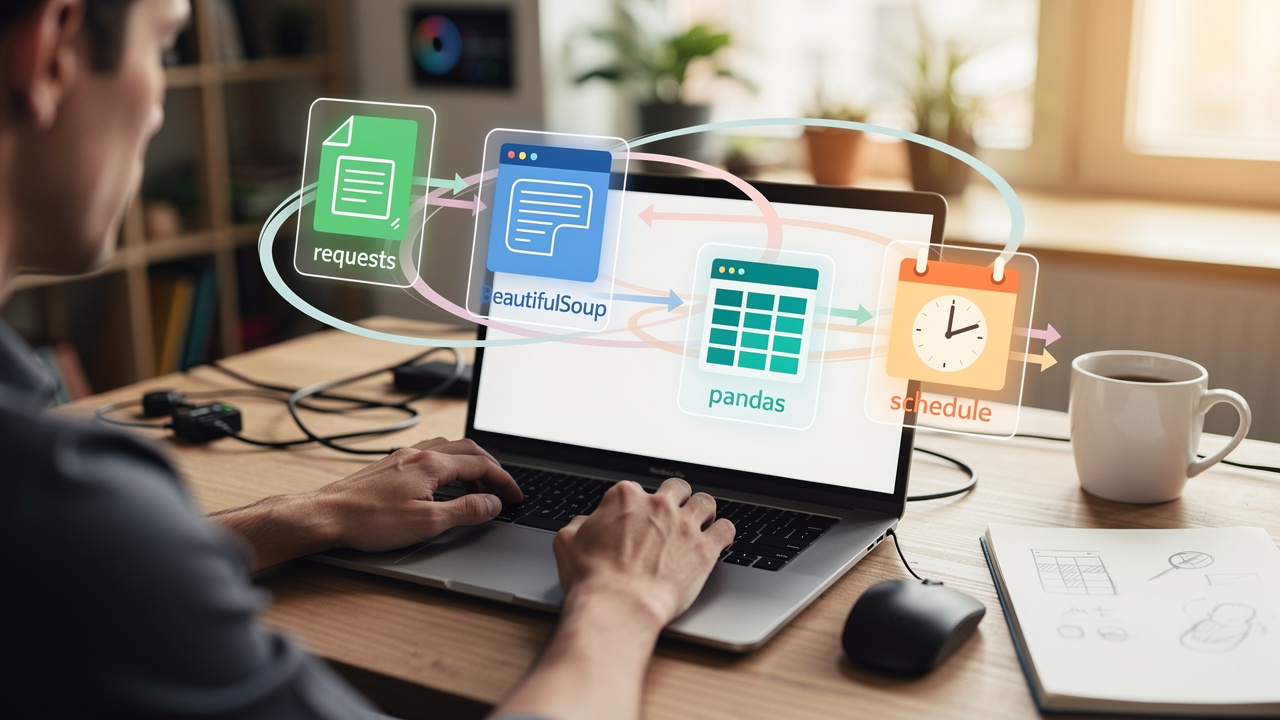
You do not need to learn hundreds of tools to get real python script automation examples from python scripting, since a small handful of libraries covers almost every marketing or business task you will run into. Picking the right one for the job is more about matching the library to the task, pulling data, cleaning data, or running on a schedule, than mastering the entire Python ecosystem.
Core Libraries for Data, Web, and Automation Tasks
Here is a quick breakdown of the libraries that cover most everyday needs:
- Requests: handles pulling data from websites and APIs, so a script can grab campaign numbers from an advertising platform or pricing data from a competitor's page without you opening a browser.
- BeautifulSoup: works alongside Requests to pull structured information out of a webpage's code, forming the backbone of most price-tracking and competitor-monitoring scripts used by e-commerce teams.
- Pandas: takes over once data is collected, python machine learning it, turning messy spreadsheets of campaign or sales numbers into clear totals, averages, and trends you can act on.
- Schedule and APScheduler: let a script fire off data processing pipelines, hourly price checks, or weekly email sequences on its own, instead of you clicking a button each time.
Is Python Scripting Hard to Learn With No Coding Background?
Python scripting is genuinely approachable for people with no coding background, since its syntax reads close to plain English and avoids the dense punctuation found in older languages. Most beginners can write a working script, something that renames a batch of files or pulls a list of numbers from a spreadsheet, within their first few sessions of practice, which builds confidence quickly.
The realistic starting path is to pick one small, annoying task you already do by hand, find a free tutorial that solves that exact problem, and copy, run, and tweak the code until it clicks. Free resources like the official Python language reference, along with countless video tutorials, cover this groundwork well. From there, you add complexity gradually, moving from a single-file script to one that pulls live data or runs on a schedule, rather than trying to learn everything before writing your first line.
When Should You Hire a Developer Instead of Scripting It Yourself?
Hiring a developer makes sense once your script needs to run reliably at scale, handle sensitive data, or support a team instead of just you. A personal script that works fine for one client or one store often breaks down once you add more data, more users, or stricter security requirements, a transition documented in work on modernizing a legacy Python research codebase as projects scale beyond their original scope.
Signs You've Outgrown DIY Scripts
A few warning signs tend to show up before a script becomes a real liability:
- A script that used to run in seconds now times out or crashes under more data.
- Passwords or API keys are stored directly in the code instead of somewhere secure.
- Teammates need to use the script without understanding how it works.
- The script touches customer data, payment details, or anything else with real stakes if it breaks.
Any of these call for proper credential handling and more thoughtful design than a quick personal fix can offer.
Why Product-Minded Engineering Matters for Marketing Tools
Building a reliable, secure automation tool takes more than writing a working script, it takes someone who understands both the engineering and the business goal behind it. Ahmed Hasnain brings exactly that mix, with full-stack developer responsibilities across Laravel, React, Vue, Next.js, and Python, plus hands-on work on Replug, a marketing SaaS product covering branded links, analytics, QR codes, and campaign workflows.
What makes that background useful for marketing tools specifically is a product-first engineering principles, connecting the way users actually work to the technical decisions behind a feature, rather than building in isolation from how a tool gets used. That approach is paired with a disciplined, AI-assisted workflow using tools like Claude, Codex, and integrating ChatGPT into workflow, which supports faster research and debugging without cutting corners on code quality.
Final Thoughts
Python scripting remains one of the most accessible ways for marketers, creators, and entrepreneurs to claw back hours lost to repetitive manual work, from client reporting to QR code tracking. The path from a quick personal script to a production-grade tool is a spectrum, not a single leap, and this guide has walked through both ends of it.
Start small with one annoying task, build a script that fixes it, and expand from there as your confidence grows. When your scripts start handling more clients, more data, or sensitive information than feels comfortable to manage alone, that is the moment to bring in experienced help, and a developer like Ahmed Hasnain can turn a working script into a dependable, secure part of your business.
Frequently Asked Questions
Do I need a computer science degree to write Python scripts?
No, a degree is not required to write useful Python scripts. Most people who automate marketing or business tasks are self-taught, learning through free tutorials, official documentation, and practice on small, real tasks rather than formal coursework.
How long does it take to learn enough Python to automate marketing tasks?
Most people can write basic, useful scripts within 2 to 4 weeks of consistent practice, a few sessions a week focused on one small task at a time. Automating more complex workflows, like multi-platform reporting, typically takes a few months of steady, hands-on learning.
Can Python scripts run automatically without me starting them manually?
Yes, scripts can run on their own using scheduling tools like cron on Linux, Task Scheduler on Windows, or serverless cloud functions such as AWS Lambda. These let a script fire at set times without anyone opening a laptop to start it.
Is Python scripting safe for handling customer or payment data?
Python scripting can be safe for sensitive data when you follow basic security practices, like storing passwords and API keys in environment variables rather than in the code itself. Adding encryption and validating all incoming data further reduces the risk of exposure or errors.
What's the difference between a Python script and a full Python application?
A script solves one narrow task quickly, like pulling a report or renaming files, with minimal structure around it. A full application has broader architecture, user interfaces, databases, and ongoing maintenance needs, built to serve many users rather than a single task.
Can Python scripts integrate with tools I already use, like Google Analytics or Shopify?
Yes, Python scripts commonly connect to platforms like Google Analytics or Shopify through their APIs, using libraries like Requests to send and receive data. This lets a script pull sales numbers, traffic data, or order details directly into your own reports.