Introduction
This guide shares practical Python script automation examples you can run against real work tasks right away. Many SaaS teams still move files, update spreadsheets, and send emails by hand even when the steps repeat every week. That repetition burns time that could go into shipping features and makes human error far more likely.
Instead of relying on people to remember every small step, you can hand that work to small Python scripts. The most useful Python automation scripts for SaaS products clean and join CSV exports, organize uploads on disk, scrape competitor data, call billing or CRM APIs, and send personalized emails from a single command. Each Python script that automates a recurring task also acts as living documentation for how that workflow should behave.
By the end, you will know which workflows to automate first and how to keep the code simple enough for your team to maintain. Most Python automation examples here stay short enough that your team can read them end to end during standup. Skim the overview, then focus on the sections that match the bottlenecks you care about most.
Key Takeaways
Here is what founders and engineering leaders can pull from this guide before reading every section.
- Python automation cuts manual work where your product actually meets users. That means CSV exports, content uploads, emails, and reports run through code instead of copy and paste. You reclaim hours without asking people to change their habits.
- This guide groups Python script automation examples into clear categories that mirror real SaaS workflows. File and CSV handling, web scraping and APIs, email, and scheduled jobs all come with small focused snippets. You can adapt each one in minutes to match your own tools.
- Library choice and code style matter as much as the first working script. You will see a shortlist of libraries that keep automation readable for both developers and product-minded teammates. Examples also show where AI helpers like ChatGPT fit into development and debugging without replacing engineering judgment.
Why Python Dominates Real-World Workflow Automation
Python dominates real-world workflow automation because it is easy to read, rich in libraries, and stable across platforms. That mix lets junior developers, data analysts, and even product managers write and maintain scripts without pulling senior engineers into every small change. For SaaS leaders who want practical Python automation, that readability lowers risk when scripts move between teams.
Python syntax stays close to plain English, so a ten-line automation script is understandable even months later. Recent data from Stack Overflow keeps placing Python among the most used and most wanted languages, which means documentation, examples, and answered questions are never far away. For busy SaaS teams, that level of clarity reduces handover risk when people change squads or leave.
At the same time, the package index on PyPI and open projects on GitHub give you ready-made libraries for almost any task. You can call Stripe or HubSpot APIs with requests, scrape pages with BeautifulSoup, or generate CSV reports with Pandas instead of starting from scratch. According to the TIOBE Index, Python now sits near the top of global language rankings, so those libraries keep receiving maintenance and improvements. Most of the Python script automation examples later in this guide lean on those standard libraries instead of clever but fragile tricks.
For leadership, the return shows up as time. Research from McKinsey Global Institute estimates that around sixty percent of jobs can automate at least thirty percent of their activities with existing technology. Python fits that slice of work well because one small script can replace hours of manual clicking across tools like Google Sheets, Notion, and internal dashboards.
File Automation, CSV Pipelines, and OS-Level Scripting
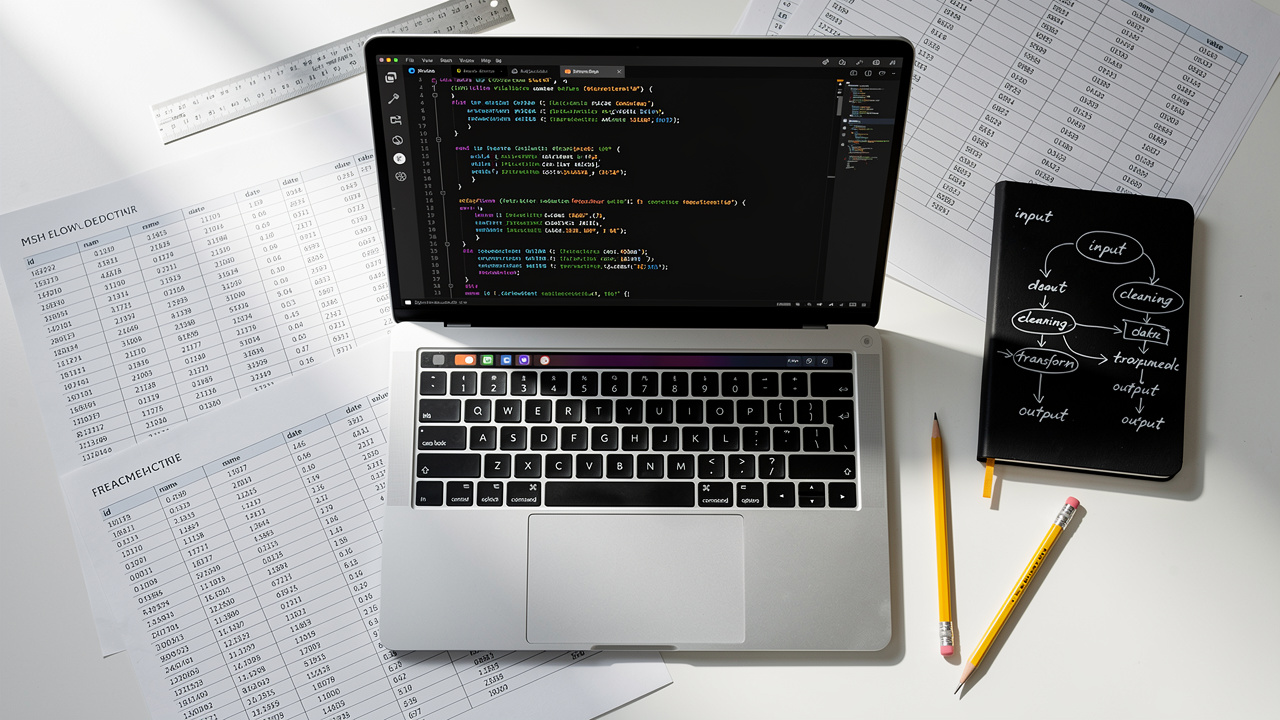
File automation, CSV pipelines, and OS-level scripting give you Python automation patterns that form the base layer for most SaaS workflows. This is where Python scripts rename uploads, join exports, clean folders, and prepare data for dashboards or sync jobs.
The good news is that Python covers most of this with its standard library alone. The open function, csv module, and the os and shutil modules let you read and write files, inspect directories, and move content around without bringing in external dependencies. That keeps these scripts fast to write, review, and deploy into staging.
Common product cases include nightly scripts that pull CRM exports from HubSpot, normalize them into a single CSV for your warehouse, and drop them into an S3 bucket or shared drive — a structure similar to schema-constrained AI for auditable evidence extraction that demonstrates how structured pipelines make messy data reliable. Another frequent case is bulk renaming asset files to match product IDs, so marketing and catalog teams do not need to align filenames by hand. Teams also:
- clean upload folders by file type
- archive old logs
- remove stale test data
Even a single Python file automation script that cleans one export on a schedule can remove whole checklists from your playbooks.
Once these flows sit in code, they stop depending on memory and personal habits. Research from GitHub shows that automation around build and deployment pipelines tends to reduce production mistakes, and the same pattern holds for file and data tasks. Even a thirty-line script that copies daily reports into a single folder can save dozens of minutes every week for support and analytics staff.
Practical Code Patterns For File And CSV Automation
These practical code patterns for file and CSV automation focus on small scripts your team can read at a glance. Each snippet is short on purpose and uses only the Python standard library so it runs anywhere Python runs. That makes them easy to review during code review and comfortable for non-specialists to tweak.
Start with the pattern for safe file reading and writing using the with statement. This style closes files for you even when an error happens inside the block. You avoid forgetting to close descriptors and reduce odd side effects on busy servers.
# Read a whole text file
with open("report.txt") as f:
    contents = f.read()
# Append a new line at the end
with open("report.txt", "a") as f:
f.write("\nNew log line")
For structured data, the csv module helps you automate tasks whenever tools export data as comma-separated rows. Instead of copying values between spreadsheets, the script appends new customers or updates fields in a clean loop. That keeps customer lists in sync between billing, analytics, and marketing tools.
import csv
new_row = ["Jane Doe", "jane@example.com", 150000]
with open("customers.csv", "a", newline="") as f:
writer = csv.writer(f)
writer.writerow(new_row)
Finally, use os plus shutil to auto-organize files on disk by extension, which keeps design or export folders under control. The same idea works for log archives, image uploads, and backup snapshots. With only a few lines, these Python automation scripts replace manual drag-and-drop work and make folders predictable for both people and other scripts.
import os
import shutil
source = "uploads"
for name in os.listdir(source):
full_path = os.path.join(source, name)
if name.endswith(".png"):
shutil.move(full_path, "uploads/images")
elif name.endswith(".csv"):
shutil.move(full_path, "uploads/data")
Web Scraping, API Calls, and Email Automation Scripts

Web scraping, API calls, and email automation scripts are some of the most directly useful Python automation examples for SaaS growth and marketing teams. They bring outside data and communication into your product workflows without manual steps.
The requests library sits at the center of this layer, since the same call pattern fetches web pages for scraping and contacts APIs from services like Stripe, HubSpot, or internal microservices. BeautifulSoup turns HTML into queryable objects, and smtplib plus ssl let you send personalized messages from a laptop or server. For browser-only flows that require login or two-factor steps, a small Python Selenium automation example can log in, click through forms, and pass results back to your APIs.
For marketing teams, this is where actual revenue impact appears. Research from Campaign Monitor finds that automated email sequences tend to generate more revenue per message than one-off campaigns. Combined with API calls and scraping, you can trigger those emails from real behavior instead of static lists.
In a SaaS setting, you might scrape competitor pricing pages weekly, call Stripe for customer spend data, then send targeted briefings to account managers — a workflow that mirrors automated mass extraction of structured records used in large-scale API-driven data collection. You can also build internal alerts that email you when traffic drops, new signups spike, or a key metric crosses a threshold. Each flow starts as a simple Python script and grows only when it proves its value.
Web Scraping And API Patterns With Working Examples
These patterns give you working starting points for scraping, API calls, and bulk email using Python. You can paste them into a file, adjust URLs and field names, and run a quick test on your own machine. From there it is easy to evolve each into a more complete automation job.
To extract structured content from a page, combine requests.get with BeautifulSoup and guard on the status code. That protects you from small outages or changed URLs. Once the response looks good, you can parse headings, tables, or specific CSS selectors.
import requests
from bs4 import BeautifulSoup
url = "https://www.bbc.com/news"
response = requests.get(url)
if response.status_code == 200:
soup = BeautifulSoup(response.content, "html.parser")
for h2 in soup.find_all("h2"):
print(h2.get_text())
else:
print("Request failed", response.status_code)
For APIs that return JSON, the pattern is similar, except you call .json on the response and walk a dictionary. Many real integrations with Stripe, HubSpot, or internal microservices follow this approach. You focus on picking the right fields and passing them downstream instead of dealing with raw HTTP.
Finally, you can send personalized emails from a CSV using Gmail and smtplib. This type of Python email automation suits internal digests, beta announcements, and focused follow-ups without a full marketing platform. Teams often connect it to signup or billing events so users get updates automatically.
import csv
import smtplib, ssl
from_addr = "you@gmail.com"
password = input("Enter Gmail app password: ")
context = ssl.create_default_context()
with smtplib.SMTP_SSL("smtp.gmail.com", 465, context=context) as server:
server.login(from_addr, password)
with open("people.csv") as f:
for name, email in csv.reader(f):
body = f"Subject: Hi {name}\n\nThanks for trying our product."
server.sendmail(from_addr, email, body)
Always use a Gmail app password or a service account instead of your main login, and never commit secrets into Git. Storing credentials in environment variables or a password manager keeps risk lower. Together these web-focused Python automation scripts let you pull signals from the outside world and respond in near real time. When scraping, always review a site's terms of service and robots.txt file so your automation respects rate limits and access rules.
Scheduling, Multithreading, and Production-Ready Automation

Scheduling, multithreading, and production-ready automation turn single-run Python scripts into reliable background helpers for your product. Without this layer, someone still has to remember to press run each time.
On Linux and macOS, cron is the usual choice for time-based jobs; on Windows, Task Scheduler fills that role — and semi-automated programming of industrial robotic systems shows how standardized scheduling and data models translate across engineering domains. If you prefer to keep timing rules inside Python, libraries like APScheduler let you schedule functions from a long-running worker process. In all cases, logs and alerts should tell you when a run fails so you can respond quickly. With these pieces in place, you can schedule tasks automatically instead of assigning them to a teammate each week.
Parallel execution matters when a job touches hundreds of files or URLs. The concurrent.futures.ThreadPoolExecutor class lets you fire many requests at once instead of looping over them one by one, which can cut processing time from hours to minutes. That pattern works well for image downloads, bulk API calls, or log parsing.
To keep these automations safe, every script that talks to the outside world should wrap risky blocks in try and except so one bad response does not kill the whole run. Use venv to isolate dependencies per project and pin versions in a requirements.txt file. For data formats, rely on the standard json and csv modules plus BeautifulSoup for HTML so future team members can follow the flow. When you need older shell utilities or database clients, the subprocess module lets Python kick off those programs and watch their exit codes as part of one automation flow. Teams often review open Python automation GitHub projects to copy proven folder layouts, logging habits, and retry helpers instead of inventing their own patterns.
Deciding between Python and no-code tools like Zapier, Make, or n8n comes down to logic depth and data volume, much like the choices made when automating building energy performance simulation workflows where modularity and reusability determine long-term maintainability. Python suits workflows where branching rules matter, records number in the thousands, or vendor APIs do not exist inside automation marketplaces. A hybrid setup, such as Code by Zapier calling small Python functions for tricky steps, often gives non-engineers the control they want while still keeping complex work in code.
The table below highlights core libraries that appear again and again in reliable task automation.
| Library | Primary Use Case |
|---|
requests | HTTP requests and REST APIs |
BeautifulSoup | HTML parsing and web scraping automation |
smtplib and ssl | Sending bulk emails securely |
csv and Pandas | CSV handling and data pipeline work |
os and shutil | File and folder operations on the host system |
concurrent.futures | Multithreading for parallel tasks such as downloads |
APScheduler | In-code scheduling for recurring jobs |
Selenium | Browser automation for logins and forms |
The same design ideas carry over to Python OS automation examples, Python network automation scripts, and Python DevOps automation examples that might live closer to your infrastructure stack. Reports from the GitHub Octoverse keep showing heavy Python use across automation and data projects, which means these libraries improve steadily as more teams adopt them.
How Ahmed Hasnain Applies Python Automation In Production SaaS Environments

Ahmed Hasnain uses Python automation in production SaaS environments where real customers, orders, and campaigns depend on clean workflows. His focus sits close to the product surface, so scripts fix friction that users actually feel. This style of Python workflow automation keeps business rules close to the code while still matching how teams operate day to day.
At D4 Interactive he contributes to Replug, a marketing platform for branded links, QR codes, and campaign analytics. That work includes Python automation for tasks like syncing campaign data, cleaning tracking links, and feeding reports into internal dashboards. With Care Soft he supports hospital management software where reliable backend jobs help manage appointments and records. At The Right Software he worked on a multivendor ecommerce product, a place where order processing, stock updates, and vendor notifications all benefit from quiet automation.
Across those projects Ahmed uses AI helpers such as Claude, GitHub Copilot powered by Codex, and ChatGPT in a disciplined way. He leans on them to sketch boilerplate, explore library options, and suggest tests, then refines the result with his own judgment. That keeps delivery fast while avoiding the brittle one-off scripts that appear when prompts replace engineering thinking.
"The most effective Python automation examples are built by engineers who understand the business logic behind the workflow, not just the code." — Ahmed Hasnain
Because he has worked across marketing tech, healthcare, and ecommerce, Ahmed can map new client workflows to earlier patterns and pick the right level of automation. That often means starting with a narrow script that plugs directly into a user-facing flow, such as campaign creation or order approval, instead of a huge back-office refactor. SaaS founders and engineering leads who want this blend of product sense and full-stack execution can learn more at ahmedhasnain.com.
The Bottom Line: Build Python Automation That Ships And Scales

The bottom line for Python automation is that small, well-chosen scripts can reshape how your SaaS team spends its week. File and CSV helpers, scraping jobs, API integrations, email senders, and scheduled workers combine to remove large chunks of repeat work.
The highest return comes from automating high-frequency, rule-based, data-heavy steps that sit directly in your user workflows, not just internal chores. When those flows run through readable Python instead of hidden macros, they are easier to test, monitor, and extend as the product grows.
Ahmed Hasnain brings that mindset into each engagement by pairing product awareness with full-stack skills and disciplined, AI-assisted development. If your SaaS startup needs Python script automation ideas turned into production-ready features, consider reaching out through ahmedhasnain.com to explore a focused collaboration.
Frequently Asked Questions
This section answers common questions that founders and engineering leaders raise when they start exploring Python automation.
Question 1: What Are The Best Python Libraries For Automating Repetitive Tasks?
The best libraries for repetitive Python task automation include requests, BeautifulSoup, csv, os, and shutil. Together they cover web calls and file handling. Add smtplib and ssl for email, plus concurrent.futures for parallel jobs. When you need browser control or scheduling, Selenium and APScheduler fill those gaps.
Question 2: How Do I Schedule A Python Script To Run Automatically?
Schedule a Python script with cron on Linux or macOS, or Task Scheduler on Windows. Both let you pick exact times using simple text expressions or dialog boxes. If you prefer a pure Python approach, APScheduler can trigger functions on intervals from inside a running worker.
Question 3: Is Python Automation Suitable For Beginners?
Python automation for beginners works well because the language reads close to plain English and error messages are friendly. Many people start with tiny scripts that read or write files, then grow into CSV cleaning and email sending. A simple setup with Python, VS Code, and a virtual environment is enough to begin.
Question 4: When Should I Use Python Instead Of A No-Code Tool Like Zapier?
Use Python instead of no-code tools when your workflow has complex branching, large datasets, or custom APIs that Zapier and similar platforms do not support. No-code tools shine for quick connections between well-known SaaS products. Many teams mix them by letting Zapier handle triggers while Python scripts process the heavier logic.
Question 5: How Do I Make Python Automation Scripts Maintainable In A Team Environment?
Make Python automation maintainable by treating scripts like any other production code. Use Git for version control, venv for isolated dependencies, and clear folder structure. Add try and except around risky operations, log important events, and write comments that explain business rules instead of restating syntax.