Finding the right SEO tools for content marketing feels harder than it should, especially when every plugin promises to be the last one you'll ever install. Search algorithms keep shifting, plugin feature lists keep growing, and marketing teams often end up running three or four tools that quietly do the same job. That overlap wastes budget and slows down the people who actually need to publish and rank content.
SEO tools for content marketing are the plugins and platforms that help you research keywords, optimize on-page content, handle technical work like schema and sitemaps, and track how pages perform once they go live. This guide breaks down the WordPress plugins worth your attention, including Yoast SEO, Rank Math, All-In-One SEO Pack, Squirrly SEO, SEOPress, and WP Meta SEO. Then it shows how to match a tool to your specific role, whether you run an agency, an online store, or a content channel, and adds a product-engineering view on what actually makes these tools well built.
Let's get into what these tools do and why picking the right one matters so much.
Key Takeaways
- Yoast SEO and Rank Math lead the field for WordPress on-page optimization, each solving a slightly different set of problems for different teams.
- Tool choice should match your role first, whether you manage agency clients, run an online store, build a content channel, or freelance across several accounts at once.
- Keyword research and search intent still shape content results more than any single plugin ever will.
- Technical SEO basics like schema markup, sitemaps, and page speed matter just as much as clear, well-structured writing.
- A product-engineering lens, the kind Ahmed Hasnain applies while working on tools like Replug, helps you judge whether software is genuinely well built before you commit budget to it.
What Are SEO Tools For Content Marketing And Why Do You Need Them?
SEO tools for content marketing are the software you use to research keywords, structure on-page content, run technical audits, and measure how a piece performs after publication, often relying on a dedicated content scoring tool that reverse-engineers what top-ranking pages do well. They exist because ranking well now requires more than good writing. You need to understand what searchers actually want, confirm that pages load fast and read cleanly on mobile, and prove which content drives real business results rather than just page views.
Your specific needs shift depending on your role. A digital marketing agency juggling several client accounts needs white-label reporting and separate workspaces, while an online store owner about tracking conversions on branded product pages. Content creators and social media marketers lean on bio link pages instead of full SEO suites, and freelance marketers usually want affordable tools that do a handful of jobs well rather than everything at once.
Which WordPress SEO Plugins Actually Move The Needle?

Picking one plugin from a crowded field gets easier once you compare them on features, pricing, and who each one fits best, much like evaluating a dedicated SEO content generation interface built to target specific SERP features and ranking factors. Every option below plugs directly into WordPress and handles the core work of on-page SEO, meaning meta tags, sitemaps, and schema markup, but each one leans toward a different kind of user, from Yoast's broad appeal to Squirrly's beginner-friendly coaching.
| Plugin | Starting Price | Best Fit |
|---|
| Yoast SEO | Free, Premium from $99/year | All-around users who want one trusted, widely supported plugin |
| Rank Math | From €8.99/month | Users who want AI assistance and unlimited keyword tracking |
| All-In-One SEO Pack | Free Lite, paid from $49.60 | Beginners who want strong defaults with minimal setup |
| Squirrly SEO | Premium from $20.99/month | Writers who want live, color-coded feedback as they type |
| SEOPress | Premium from around $49/year | Teams that lean heavily on social sharing |
| WP Meta SEO | Pro version around $49/year | Site managers handling large content libraries |
Yoast SEO
Yoast SEO remains the most widely installed WordPress plugin, and it earns that spot with a clear meta box, readability scoring, and automatic XML sitemaps. Schema markup and breadcrumb support come built in, even on the free version. The one real limit is that free users can only target one keyword per page. Premium removes that cap and adds internal link suggestions, starting at $99 a year.
Rank Math

Rank Math brings AI assistance and unlimited keyword tracking to WordPress SEO, plus a module system that lets you switch on only the tools you need. It connects directly to Google Search Console, so ranking data sits inside your dashboard instead of a separate tab. Individual plans start at €8.99 a month, while agency tiers extend up to support hundreds of client websites.
All-In-One SEO Pack
All-In-One SEO Pack, often shortened to AIOSEO, suits beginners who want strong defaults without a steep learning curve. Its TruSEO scoring checks keyword use, meta descriptions, and content length, then tells you exactly what to fix. Automatic sitemaps and a built-in Robots.txt editor cover the technical basics well. A free Lite version handles simple sites, while paid plans start at $49.60.
Squirrly SEO
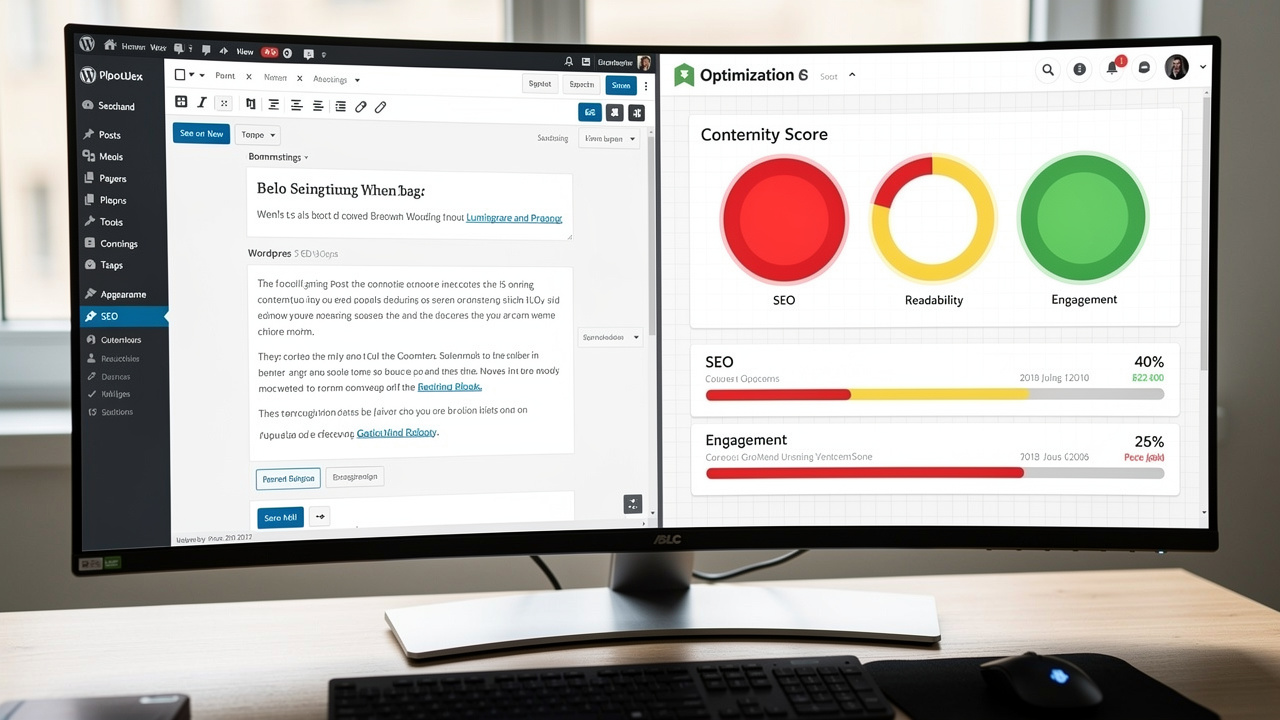
Squirrly SEO scores your content in real time as you type, using a simple red, yellow, and green system anyone can read at a glance. That live feedback suits writers who are still learning SEO basics and don't want to guess after publishing. The plugin also tracks visibility across more than 170 search engines and offers coaching sessions. Premium access starts at $20.99 a month.
SEOPress And WP Meta SEO
SEOPress leans harder into social sharing than most competitors, building in Facebook Open Graph tags and Twitter Card support even on the free plan. It still covers the fundamentals well, including dynamic meta titles, canonical URLs, and keyword targeting per page. Paid plans start around $49 a year, making it one of the more affordable premium options for agencies running several client sites.
WP Meta SEO takes a different approach, built for teams managing large content libraries rather than a single blog. It scans your whole site for broken links, duplicate meta descriptions, and missing image alt text, then lets you fix issues in bulk. The pro version, priced around $49 a year, adds automated 404 handling and scheduled email reports for ongoing maintenance.
How Do You Choose The Right Tool For Your Role?

Choosing the right SEO tools for content marketing starts with naming your actual role, rather than chasing whichever plugin has the longest feature list. A solo blogger and a ten-person agency need different things from the same category of software, even if both are technically running WordPress. Matching the tool to the work you do daily saves money and stops you from paying for features you'll never open.
Once you know your role, the shortlist gets short fast. Here's how the groups this guide covers tend to split their priorities.
- Digital marketing agencies managing several client campaigns need white-label reporting and separate workspaces so each team member only sees the accounts they manage. This keeps client data organized and lets you present results under your own brand.
- E-commerce entrepreneurs about conversion tracking and monitoring branded product URLs, since traffic alone doesn't pay the bills. Tools with WooCommerce integration make this tracking far less manual.
- Content creators, influencers, and social media marketers rely on bio link pages and clear calls to action to turn one profile link into several destinations. These tools matter more for audience routing than classic search rankings.
- Freelance marketers and sales specialists want affordable, feature-rich link management they can set up in minutes for a new client. Freemium pricing keeps the risk low while the client base is still growing.
- Event managers and brand promoters lean on QR codes to connect flyers, banners, and booths to an online landing page. Tracking scans by location tells them which channel actually worked.
What Makes A Content Marketing Tool Genuinely Well-Built?

I'm Ahmed Hasnain, and I've spent time building product-facing software, a marketing SaaS product covering branded links, analytics, QR codes, and campaign workflows. That work taught me the best marketing tools solve one workflow cleanly instead of ten workflows poorly, the same principle behind a content optimizer built to improve content for both traditional SEO and AI search visibility. A plugin that tracks ten metrics badly helps you less than one that tracks three metrics you'll actually check every week, and that difference shows up fastest in daily use rather than in a features page.
The pace of updates matters almost as much as the feature list itself. My own workflow leans on AI-assisted development through Claude and Codex to move faster through research and debugging without cutting corners on testing. When you're comparing SEO tools for content marketing, ask how often the roadmap ships fixes rather than just new buttons. That habit tends to separate tools built to last from tools built mainly to demo well.
The Takeaway
Picking the right SEO tools for content marketing always comes back to matching software to your actual workflow, not the feature list that looks most impressive on a pricing page. Yoast SEO, Rank Math, and the other plugins covered here all handle on-page basics well, but none of them replace real keyword research or a clear read on what your audience wants to find. Agencies, store owners, creators, and freelancers each need a slightly different mix, and that mix should drive your shortlist rather than the other way around.
Start with one plugin, learn it well, and only add specialized tools once you hit a real limitation in your current setup. Before your next content sprint, audit what you're already paying for against what you actually use, the same discipline I apply when reviewing feature roadmaps in my own product work. That single audit often frees up budget for a tool that solves a problem you're actually facing today.
Frequently Asked Questions
Do I Need More Than One SEO Plugin On My WordPress Site?
No, running two full SEO plugins together usually causes conflicts, including duplicate schema markup and competing sitemaps. Pick one primary plugin to handle meta tags, sitemaps, and schema, then supplement it with specialized tools for keyword research or link tracking instead of a second full plugin.
Are Free SEO Plugins Good Enough For Small Business Content Marketing?
Yes, in most cases. The free tiers of Yoast, Rank Math, and SEOPress cover the on-page basics that small business sites need, including meta descriptions, sitemaps, and schema. Upgrade only once you need internal link suggestions, multi-keyword optimization, or more advanced schema types.
How Often Should I Update Or Re-Audit My SEO Tool Stack?
Review your tool stack about once a quarter, since plugin features and search algorithms both change often. Watch for new AI-powered scoring features, deprecated integrations, and any tool you're paying for but rarely open, since that's usually the first sign it's time to switch.
Can SEO Tools Replace The Need For A Content Strategy?
No, tools support execution but they don't set direction on their own. Your content strategy, meaning your topics, target search intent, and publishing calendar, has to come first. SEO tools then optimize the content you've already planned to write, rather than deciding what to write about.
What's The Difference Between An SEO Plugin And A Link Management Tool?
SEO plugins optimize on-page content for search engines, handling meta tags, schema, and readability before and during publishing. Link management tools focus on what happens after publishing, including branded short links, QR codes, and click analytics across social media and other channels.
Do Bio Link And QR Code Tools Count As SEO Tools?
Not in the traditional sense, since they don't directly influence search rankings. They still support content marketing by tracking multi-channel engagement, showing which social post or printed flyer actually drove traffic. That makes them a useful complement for creators and event marketers working outside organic search.